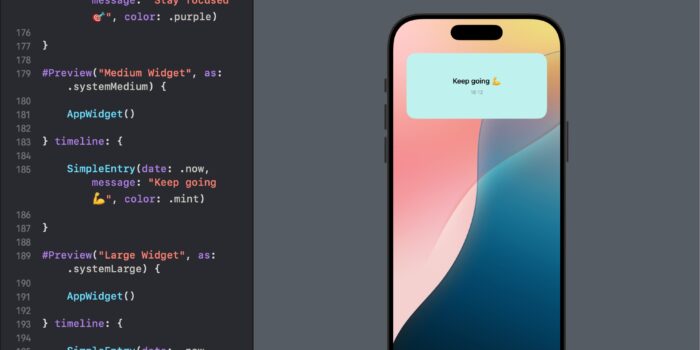
Want to bring widgets to your SwiftUI app but not sure where to begin? This…
View Groupings in SwiftUI: Group, Form, ControlGroup

SwiftUI provides powerful tools to group and organize views logically, making your user interfaces clean, maintainable, and easy to understand. In this tutorial, we’ll explore three essential view groupings: Group, Form, and ControlGroup. We’ll cover their uses and provide unique examples to help developers of all levels understand and implement these groupings effectively.
Group
Group is a container that groups multiple views together without affecting their layout. It’s useful for applying modifiers to multiple views simultaneously or organizing code.
Example: Using Group to Apply Modifiers
import SwiftUI

struct GroupExampleView: View {
    var body: some View {
        VStack {
            Group {
                Text("Hello, World!")
                Text("Welcome to SwiftUI")
            }
            .font(.headline)
            .foregroundColor(.blue)

            Group {
                Image(systemName: "star.fill")
                Image(systemName: "heart.fill")
            }
            .foregroundColor(.red)
            .font(.largeTitle)
        }
    }
}
In this example, we use Group to apply the same modifiers to multiple text and image views. This keeps the code clean and avoids repetition.
Form
Form is a container used to arrange controls and text fields in a way that is suitable for data entry. It is typically used for creating forms and settings screens.
Example: Creating a Simple Form
import SwiftUI

struct SimpleFormView: View {
    @State private var username: String = ""
    @State private var password: String = ""

    var body: some View {
        Form {
            Section(header: Text("User Information")) {
                TextField("Username", text: $username)
                SecureField("Password", text: $password)
            }

            Section(header: Text("Actions")) {
                Button(action: {
                    print("Login tapped")
                }) {
                    Text("Login")
                }
            }
        }
    }
}
This example demonstrates how to create a simple form with text fields and a button. The Form automatically arranges the elements to look good on all devices.
ControlGroup
ControlGroup is a container that visually groups related controls together. It’s useful for organizing buttons and other interactive elements in a logical and visually appealing way.
Example: Organizing Buttons with ControlGroup
import SwiftUI

struct ControlGroupExampleView: View {
    var body: some View {
        VStack {
            Text("Choose an action:")
                .font(.headline)
                .padding()

            ControlGroup {
                Button(action: {
                    print("Add tapped")
                }) {
                    Label("Add", systemImage: "plus")
                }

                Button(action: {
                    print("Edit tapped")
                }) {
                    Label("Edit", systemImage: "pencil")
                }

                Button(action: {
                    print("Delete tapped")
                }) {
                    Label("Delete", systemImage: "trash")
                }
            }
            .controlGroupStyle(.navigation)
            .padding()
        }
    }
}
In this example, ControlGroup is used to organize buttons with labels and icons. The controlGroupStyle modifier is used to change the appearance of the group.
Conclusion
SwiftUI’s Group, Form, and ControlGroup views are essential tools for organizing your UI elements logically and efficiently. By using these containers, you can create clean, maintainable, and user-friendly interfaces.

Related Posts